TLDR
- If AI crawlers can’t reach your site, nothing else matters. Check your robots.txt and your CDN before anything else.
- Technical structure decides whether your content gets extracted, not only whether it gets indexed. Heading hierarchy, rendering, and where you place content all affect whether you get cited.
- Google says schema isn’t required for AI search. That’s true for Google. It says nothing about how Perplexity or ChatGPT behave, which is where most of the confusion comes from.
- Freshness signals carry more weight on non-Google platforms. IndexNow, a truthful “Last updated” date, and an accurate sitemap all feed the recency bias that ChatGPT and Perplexity lean on.
- Each platform retrieves content differently. What earns a citation in Google AI Overviews won’t automatically earn one in Perplexity or Claude.
The technical layer most B2B teams skip
Most advice on AI search or LLM visibility optimization focuses on content: how to structure it, how to phrase it, and how to make it quotable. That work matters, but there’s a layer underneath it that companies skip almost by default: whether AI systems can find, reach, and parse your site at all.
We’ve been working on AI visibility for our own site and for B2B tech clients over the past year. The same pattern keeps showing up. A company invests in content quality while its robots.txt quietly blocks the crawlers behind ChatGPT and Perplexity. Or it follows Google’s guidance to skip schema (guidance written for Google) and loses citations on every other platform as a result.
This piece covers that technical layer: what to audit, what to fix, and where the commonly repeated advice falls apart once you step outside Google’s ecosystem.
If you want to learn more about the content side – how to write and structure for extraction – check out the guide on how to optimize content for AI search engines. This one is about what happens before content quality even enters the conversation.
Is technical AI search optimization different from SEO?
Same foundation, higher ceiling.
Everything that matters for traditional SEO still matters here. Crawlability, indexing, page speed, canonical tags, HTTPS. If these are broken, AI systems can’t cite you any more than Google can rank you. None of the old requirements went away.
What changed is the layer that sits on top. Traditional SEO optimizes for a spot in a ranked list of links. AI search adds a second job: making your content extractable by systems that break pages into passages, score each passage for relevance and authority, and assemble an answer that often pulls from several sources at once.
That extraction layer has its own technical requirements, and they differ by platform.
Google published an AI optimization guide in 2026 stating that GEO, AEO, and LLM optimization are still, essentially, SEO, and that tactics like content chunking, llms.txt files, and AI-specific schema aren’t necessary. They’re right, about Google. The problem is that Google isn’t the only surface your buyers use. On average, only about 12% of the URLs that AI assistants cite also rank in Google’s top 10, according to Ahrefs’ analysis of 15,000 queries, and that average hides a wide spread. Perplexity overlaps with Google’s top 10 around 29% of the time; ChatGPT, Gemini, and Copilot sit closer to 8%. Perplexity runs its own crawler and index, supplemented by third-party search, and leans hard on live, fresh content. ChatGPT launched on Bing’s index plus its own crawler, and while OpenAI is expanding its own index quickly, Bing still feeds discovery.
One platform’s best practice is another platform’s irrelevant signal. The audit below is built with that in mind.
Can AI crawlers actually reach your site?
This is the first thing to check, and the most commonly skipped.
Crawler access works as a hard gate: a page that blocks the crawler is simply ineligible to be cited, no matter how well it ranks in traditional search. The fix takes five minutes. The cost of ignoring it is invisibility across every non-Google AI platform.
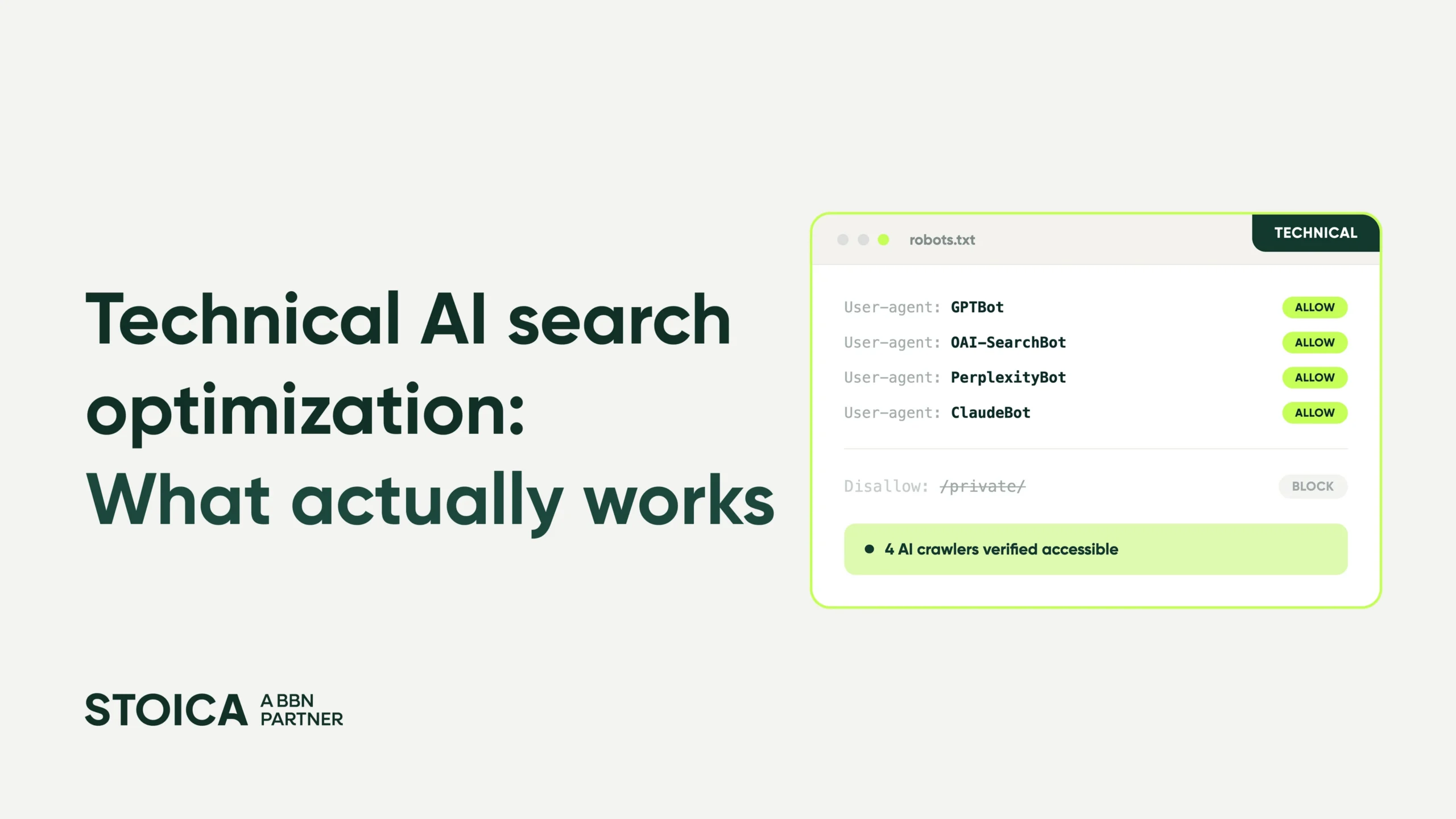
What to check in robots.txt. Go to yoursite.com/robots.txt and look for a Disallow: / applied to any of these agents:
- GPTBot – OpenAI’s training crawler (respects robots.txt). Blocking it opts you out of model training but costs zero ChatGPT search citations — the search index is built by OAI-SearchBot, not GPTBot.
- OAI-SearchBot – OpenAI’s crawler that indexes content for ChatGPT search (respects robots.txt)
- ChatGPT-User – fetches pages on demand when a user asks ChatGPT to browse a URL. As of December 2025, OpenAI’s documentation states robots.txt rules “may not apply” to this agent, since the request is user-initiated. Blocking it reliably now requires IP-level or WAF rules, not robots.txt.
- ClaudeBot, Claude-User, Claude-SearchBot – Anthropic’s crawlers (all respect robots.txt). If you see the older Claude-Web or anthropic-ai in your rules, those are deprecated names.
- CCBot – Common Crawl, which feeds several LLM training datasets
- PerplexityBot and Perplexity-User – Perplexity’s indexing crawler and its on-demand retrieval agent; like ChatGPT-User, Perplexity-User generally ignores robots.txt since the fetch is user-triggered.
If any of these carry a Disallow rule you didn’t intend, you’re invisible to that platform regardless of how good the content is. A User-agent: * rule covers every compliant bot at once, but the moment you give a specific agent its own named block, that agent stops reading the wildcard entirely, since robots.txt rules don’t merge. So if you want per-agent control, each agent needs its own complete directive.
Three other access blockers worth checking beyond robots.txt:
- JavaScript-only content. Most AI crawlers don’t render JavaScript. If your key pages load their content through a JS framework, what the crawler sees may be an empty shell. Disable JavaScript in your browser and check whether your core content still appears. If it doesn’t, the crawler probably can’t see it either. The durable fix is server-side rendering or prerendering for the pages that matter, not just “prefer HTML,” but actually serving the content in the initial HTML response.
- Login walls and paywalls. Anything behind authentication is invisible; the crawlers don’t log in. If your most valuable case studies or product pages require a login, they won’t be cited. It’s worth asking which of those could be public without hurting the funnel.
- Canonical tag issues. Broken or missing canonicals don’t block crawlers outright, but they can make AI systems treat several versions of a page as competing duplicates, splitting citation credit or picking the wrong version. LLMs don’t strictly honor rel=canonical either, so consistent signals across your canonical tag, sitemap, and internal links matter more than the tag alone. A site audit will catch these.
Quick test: Search your brand or a core topic directly in ChatGPT and Perplexity with web search on. If you’re consistently missing as a source while weaker competitors show up, access is a likely cause.
Is your CDN or WAF quietly blocking AI crawlers?
Robots.txt is the obvious place to look. The less obvious one is the layer in front of it.
If you run Cloudflare, Akamai, Fastly, or a similar CDN with bot management, it may be filtering AI crawlers before a request ever reaches your server, and the person who set up the content and the person who set up the WAF are rarely the same person. This is the trap we see most often on well-resourced B2B sites: the content team has done everything right, and a security rule three layers down is dropping GPTBot.
The situation is moving quickly. Cloudflare launched Pay Per Crawl in 2025, letting site owners charge AI crawlers for access or block them outright. In 2026, it went further by rolling out pay-per-query and, from September 2026, blocking training and agent crawlers by default on ad-carrying pages for new domains joining its network (search crawlers stay allowed). The specifics will keep shifting; the point for you is simpler. If your site sits behind Cloudflare or a similar CDN, AI-crawler access is now something someone actively configures, and that setting may not match what marketing wants.
What to do: pull your CDN’s bot-management and firewall rules and confirm the AI agents above are allowed. Check your server logs (more on that below) to verify the crawlers are actually getting through, not just that robots.txt permits them. If you use Cloudflare’s crawler controls, treat the block-versus-allow decision as a deliberate call, not a default someone left in place.
Is your content structured so AI can extract it?
RAG-based systems, the retrieval process behind Bing Copilot, ChatGPT web search, and Google AI Overviews, don’t read a page as one document. They split it into passages, score each passage against the query, and pull the ones that earn a place in the answer. Pages that aren’t built for that get crawled and rarely cited.
- Heading hierarchy. Your H1, H2, and H3 tags are how a system maps the page. They work as chapter markers so each one signals what the next passage is about. Vague headings (“Overview,” “More on this,” “Background”) give a retrieval system nothing to match against. Specific, question-shaped headings (“How do AI crawlers reach your site?”) match real queries far more often. A simple test: if an AI lifted your heading and the first two sentences beneath it into an answer, would they stand on their own and be accurate? If yes, the section is built right.
- Real HTML over JavaScript. Covered above for access, but it matters for extraction too. Content already in the HTML but visually collapsed behind an accordion or tab is generally fine; crawlers read the raw HTML. It’s content that only loads when a user expands the toggle (injected by JavaScript on click) that often isn’t parsed, since most AI crawlers don’t execute JavaScript. If a key answer only appears after a click, assume it doesn’t exist from the crawler’s point of view. Move anything load-bearing, such as product descriptions, key claims, case study results, into the base HTML.
- Title, H1, and meta alignment. Microsoft’s guidance for Bing Copilot is explicit: when your title, H1, and meta description describe the same thing, AI systems read the page’s purpose with more confidence. A title that says one thing and an H1 that says another lowers that confidence and, with it, your citation odds.
- Images and alt text. Descriptive alt text is context a crawler ingests, and multimodal models increasingly read the images themselves. Give key visuals real alt text and captions rather than empty or keyword-stuffed attributes.
- No key content stuck in PDFs. PDFs often lack the structure, logical headings, semantic HTML, and consistent metadata that systems use to extract and classify. If your best research or frameworks live only in a PDF, publish an HTML version too.
How internal links and entity signals shape what AI retrieves
Two things the access-and-structure checklist tends to miss, both of which do more for AI retrieval than they did for classic SEO.
- Internal linking. Orphaned pages are effectively invisible to a crawler following links through your site. A sitemap can still surface them for discovery, but without internal links they get crawled less often and treated as lower priority. The pages you link to most, with descriptive anchor text, read as the ones you consider important. Internal links also help a system understand how your topics relate, which feeds the entity picture below. Keep important pages a few clicks from the homepage, link between related pieces with anchors that describe the destination, and check for orphans when you audit.
- Entity signals. AI systems try to understand what your company is as an entity, not only what your pages say. The most reliable way to feed that is Organization schema with a sameAs array pointing to your verified profiles: LinkedIn, Crunchbase, Wikipedia or Wikidata if you’re there, your main social accounts. This is the credible version of the “describe your brand for AI” idea: it ties your site to entities these systems already trust, rather than asking them to take your word for it. Pair it with a clear, specific page about who you are and who you serve (more on that in the llms.txt section).
What should you actually do about schema markup?
Here’s where Google’s guidance and the rest of the market openly disagree, and where a lot of teams freeze.
Google’s 2026 guide states plainly that structured data isn’t required for generative AI search and there’s no special schema you need to add. For Google’s own systems, take that at face value. It’s also worth remembering what happened to FAQ rich results: Google restricted them to well-known government and health sites in 2023, then deprecated them entirely in 2026. So if you were adding FAQ markup to earn a rich result in Google, that reason is gone, for everyone.
For the other platforms, the picture looks different. According to Am I Cited’s research, pages with FAQPage schema show 28–40% higher citation probability across major AI platforms. The reason is straightforward: FAQ schema maps questions to answers in a machine-readable format, and RAG systems like ChatGPT and Perplexity are built to answer questions — so content pre-structured as question-answer pairs is easier for them to extract and cite.
Schema worth prioritizing:
- FAQPage – on any page that answers specific questions (product, service, resource articles). Each entry should be a standalone answer, not a continuation of the surrounding text.
- Article – author, publication date, and topic on all blog and long-form content. Feeds the authorship and freshness signals systems use to judge credibility.
- HowTo – for step-by-step content, which systems can turn directly into instruction lists.
- Organization – your identity, positioning, and the sameAs links from the section above.
- Breadcrumb and Product – where relevant (Product for SaaS pricing and feature pages), to give systems more context about page type and hierarchy.
Add it as JSON-LD, validate with Google’s Rich Results Test, and don’t let “not required”, which describes Google’s system, not Perplexity’s or ChatGPT’s, talk you out of it entirely.
Which freshness signals actually matter?
LLMs show a clear recency bias, especially the ones running live web search, which now includes ChatGPT, Perplexity, and Claude when search is on.
The pattern across platforms is a steep recency curve. Perplexity is the most aggressive, citing recent content far more often than anything older than six months, with ChatGPT close behind and Google AI Mode the most forgiving. On freshness-sensitive platforms, stale content loses ground even when it’s substantively better.
The practical read: Perplexity rewards a quarterly update cadence on anything competitive. ChatGPT and Google AI can tolerate annual refreshes on stable pages, as long as you’re updating trending topics more often.
Three technical signals feed this:
- A truthful “Last updated” date. A visible, machine-readable date tells systems when the content was last reviewed, and it should match the dateModified field in your Article schema. Bumping the date without actually improving the content erodes trust; update it when you’ve genuinely reviewed the page.
- An accurate XML sitemap. Keep <lastmod> honest and auto-updated, and reference the sitemap in robots.txt. It’s the delivery mechanism that tells crawlers what changed and when; the freshness signal is only as good as the sitemap carrying it.
- IndexNow. This protocol instantly notifies participating search engines (Bing, Yandex, and others; Google doesn’t participate) when you update a page. Because ChatGPT’s search still draws on Bing’s index for discovery,IndexNow is one of the more direct freshness signals you can send toward ChatGPT after an update. One caveat: it’s no longer only about Bing. OpenAI runs its own OAI-SearchBot and makes its own inclusion decisions on top of Bing’s index, so IndexNow helps discovery but doesn’t guarantee a citation. OAI-SearchBot access still has to be open
The workflow, when you update a key page: change the visible date, update dateModified, ping IndexNow. Two minutes, and it signals freshness to the platforms that weight it most.
How page speed affects AI crawlability
From what we’ve seen, AI crawlers work within a crawl budget much like traditional ones. Slow, heavy, or broken pages tend to get crawled less or skipped, and systems assembling a live answer under time pressure may simply leave out a page that takes too long to load.
The three highest-impact fixes:
- Core Web Vitals. LCP under 2.5s, CLS under 0.1, INP under 200ms. Google’s benchmarks, but they reflect page quality signals every crawler cares about. Run PageSpeed Insights on your key pages and work the flagged issues.
- Image optimization. Uncompressed images are the most common cause of slow B2B pages. Compress to WebP, set explicit width and height, lazy-load below the fold.
- HTTPS everywhere. A baseline trust signal, and a confirmed ranking factor, though a light one by Google’s own account. HTTP pages sit at a small disadvantage rather than being broadly penalized, and browsers flagging them “not secure” add indirect pressure. SSL is free with most hosts.
None of this is complicated. It goes unaddressed because it’s less visible than content work. The sites we audit most often have Core Web Vitals issues that have sat unresolved for months.
What the technical differences mean for each platform
Most guides write as if there’s one system to optimize for. There isn’t.
|
Platform |
Index source |
Key technical signals |
What it means for you |
|---|---|---|---|
|
Google AI Overviews |
Google Search index |
Standard Google ranking, RAG on top of indexed content |
Rank well in Google organic to be eligible. Schema optional, not a citation driver here. |
|
ChatGPT (web search) |
OpenAI’s own index (OAI-SearchBot); ~1.5% Bing overlap |
Freshness bias, own index (OAI-SearchBot), live fetch via ChatGPT-User |
Allow OAI-SearchBot (index) and ChatGPT-User (live fetch). GPTBot is training-only — optional. FAQ structure helps extraction. |
|
Perplexity |
Proprietary index (PerplexityBot) |
Strong freshness bias, own crawler |
Allow PerplexityBot for indexing; Perplexity-User fetches live and generally ignores robots.txt. Update regularly. |
|
Claude (web search) |
Brave Search index |
Brave ranking signals, live search via Claude-SearchBot |
Allow Claude-SearchBot and Claude-User (ClaudeBot is training-only). Citations closely track Brave’s top organic (~87% in one small-sample study), so Brave rank is the primary lever. Clean content structure matters more than schema here. |
|
Gemini |
Google index + training data |
Google signals plus training data |
Largely covered by Google organic optimization. |
Tou can’t optimize for one platform and assume the rest follow. The robots.txt check, the CDN check, schema, and IndexNow each serve different surfaces. None of them is redundant.
Do you actually need an llms.txt file?
Short answer: probably not, and Google agrees.
The consensus is that llms.txt files don’t move the needle. Google’s 2026 guidance explicitly says its systems don’t use them, and most platforms have no documented, reliable support for the format. Creating one won’t hurt you but it just isn’t likely to help.
There’s a more durable use of the same effort. Build a dedicated page, something like “What is [Your Brand]”, and structure it for entity recognition. Say clearly who you are, what you do, who you serve, what problems you solve, and how you differ. Put Organization schema on it, with the sameAs links to your verified profiles. Keep the language concrete rather than promotional. Use the kind of description you’d want an AI system to repeat back when a buyer asks about you.
That page does more for entity recognition than a text file, and it earns its place for human visitors too, which means it holds up regardless of how AI preferences shift.
Your technical AI visibility audit
Run these in order. The early ones are prerequisites for the rest. There’s simply no point optimizing content that AI systems can’t reach.
- Check robots.txt. Confirm GPTBot, OAI-SearchBot, ClaudeBot, Claude-SearchBot, CCBot, PerplexityBot, and Perplexity-User aren’t disallowed by accident.
- Check your CDN and WAF. Confirm bot-management rules (Cloudflare, Akamai, Fastly) aren’t blocking AI crawlers before they reach your server.
- Verify with server logs. Grep your logs for the crawler user agents above. This is how you confirm they’re actually fetching pages — not just that you’ve permitted them.
- Test JavaScript rendering. Disable JS and check whether key pages still show their core content. If it disappears, move to server-side rendering or prerendering for those pages.
- Audit hidden content. Move anything important out of accordions, tabs, and toggles into base HTML.
- Check canonical tags. Resolve broken, missing, or conflicting canonicals on key pages.
- Fix internal linking. Find and link orphaned pages; use descriptive anchors; keep key pages shallow.
- Implement FAQ and Article schema. JSON-LD on service pages, key posts, and anything Q&A-shaped. Validate with the Rich Results Test.
- Add Organization schema with sameAs. Link your verified profiles for entity recognition.
- Add truthful “Last updated” dates. Visible on the page, matching dateModified, updated only on real changes.
- Fix your sitemap and set up IndexNow. Accurate <lastmod>, referenced in robots.txt; IndexNow configured to ping on updates.
- Run PageSpeed Insights on your five most important pages. Address poor LCP, CLS, or INP. Start with image compression if you’re unsure where to begin.
- Create a “What is [Your Brand]” page. Schema-marked, specific, built for entity recognition.
Where to start: run steps 1–4 first. They’re the access layer. Almost every B2B tech site we audit has at least one problem in those four, and until they’re fixed, the rest is optimizing content that can’t be accessed and read.
The most common mistake we see is treating AI search as a content problem when there’s an unresolved technical one sitting underneath it.
Start with access. Check robots.txt, check the CDN in front of it, confirm your key pages render without JavaScript, and verify in your logs that the crawlers are getting through. That alone often explains why a site with strong content isn’t showing up in AI answers.
Then work through schema, entity signals, and freshness. Those are the highest-leverage changes for the non-Google platforms, and they’re consistently under-implemented on B2B tech sites.
If you want your brand to show up in AI-generated answers, whether that’s Google AI Overviews or tools like ChatGPT and Perplexity, so clients can find you when evaluating options, let’s chat!
Frequently asked questions about technical AI search optimization
Do I need to let AI crawlers like GPTBot and ClaudeBot access my site?
Yes, if you want to be cited on those platforms. GPTBot and OAI-SearchBot (OpenAI), ClaudeBot (Anthropic), PerplexityBot, and CCBot all read robots.txt — a Disallow there makes you ineligible to appear. Confirm none are blocked by accident, and remember your CDN or WAF can block them even when robots.txt allows them.
Is schema markup required for AI search?
No. Google states plainly that structured data isn’t required for its AI features, and FAQ rich results were fully deprecated in May 2026. But FAQPage, Article, and Organization markup still make your content easier for RAG-based systems like ChatGPT and Perplexity to extract and attribute — so it’s worth adding for the machine-readable structure, not the rich result.
Do I need an llms.txt file?
Probably not. Google says its systems don’t use them, and most platforms have no reliable support for the format. Your time is better spent on a clear, schema-marked “What is [your brand]” page, which does more for entity recognition and earns its place for human visitors too.
Why does my site rank on Google but never show up in ChatGPT or Perplexity?
Because they don’t use the same index — only about 12% of URLs cited by AI assistants also rank in Google’s top 10 (Ahrefs, 15,000 queries). If you’re strong in Google but absent from AI answers, the cause is usually access: a blocked crawler, a CDN rule, or JavaScript-only content, not content quality.
How often should I update content for AI search?
It depends on the platform. Perplexity leans hardest on recency and rewards a roughly quarterly refresh on competitive topics; ChatGPT and Google AI tolerate annual updates on stable pages. Keep a truthful “last updated” date, an accurate sitemap, and ping IndexNow after meaningful changes.
Does page speed affect AI visibility?
It helps. AI crawlers work within a crawl budget much like traditional ones, so slow or heavy pages get crawled less or skipped — and a system assembling a live answer under time pressure may leave out a page that loads too slowly. The usual Core Web Vitals work applies.
Is optimizing for AI search different from traditional SEO?
Same foundation, higher ceiling. Everything that mattered for SEO still applies — crawlability, indexing, speed, HTTPS. AI search adds a second requirement: making your content extractable in passages, across several platforms that each pull from a different index.